
Ultimate Guide to PNG Converter
This article provides a comprehensive overview and in-depth guide to using the web-based image utility platform known as PNG Converter. In the following sections, we will thoroughly explore the core benefits of the Portable Network Graphics (PNG) format, including its unique ability to handle lossless compression and complex transparency. We will also examine the extensive suite of features offered by the platform, detailing its ability to perform bulk image adjustments—such as cropping, resizing, and color filtering—simultaneously during the conversion process. Finally, this guide will cover the platform's advanced video-to-Animated PNG (APNG) conversion tools, providing you with a complete understanding of how to optimize your digital assets for web, print, and professional use.
The Superiority of the PNG Format
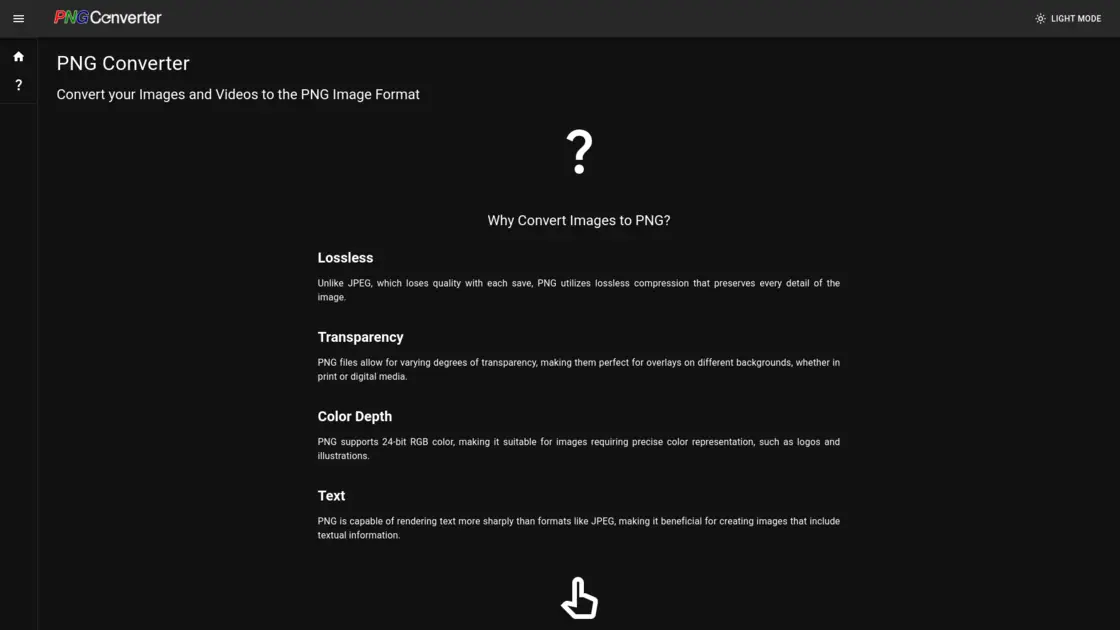
Before diving into the specific tools offered by the application, it is essential to understand why the PNG format remains a cornerstone of digital imaging. Unlike JPEG, which utilizes a lossy compression algorithm that permanently discards graphical data to reduce overall file size, PNG utilizes lossless compression. This fundamental difference means that every single pixel and detail of the original image is preserved with absolute mathematical precision, regardless of how many times the file is saved, closed, or transferred. This makes it an ideal, future-proof format for archiving high-quality graphics and professional photography. Furthermore, PNG files allow for varying degrees of alpha-channel transparency. This specific feature is absolutely crucial for web designers and graphic artists who need to overlay logos, icons, or complex illustrations on top of different backgrounds seamlessly. Additionally, the PNG format supports brilliant 24-bit RGB color depth, ensuring precise and vibrant color representation. It is also highly capable of rendering sharp, clear text, making it vastly superior to other standard web formats when creating images that include typographical information, financial charts, or detailed technical diagrams.
Introducing the PNG Converter Application
For web professionals, digital artists, and casual users looking to harness the full power of this image format, https://pngconverter.app provides a robust, online solution designed to convert various image and video formats into PNG quickly and efficiently. The platform operates entirely within your web browser, eliminating the need for bulky desktop software installations, constant manual updates, or expensive graphic design subscriptions. The user interface is intentionally streamlined and highly intuitive, featuring a native dark mode option specifically designed for comfortable viewing and reduced eye strain during extended editing sessions. One of the most significant advantages of using this specific online tool is its dual focus on batch processing and data privacy. When converting files through the interface, users have the distinct option to strip all background metadata from their images. Metadata often contains hidden, sensitive information, such as the exact camera model used, GPS location coordinates of where the photo was taken, and timestamps. Removing this data not only reduces the final file size for faster web loading but also completely conceals the original identity and origin of the file, ensuring the user's privacy is rigorously maintained when sharing personal images online.
Core Conversion Settings and Naming Conventions
When initiating a file conversion on the platform, users are presented with a highly configurable formatting form. You can adjust the exact graphical quality of the output using a sliding numerical range from 0 to 100. This granular control allows you to find the absolute perfect balance between pristine visual fidelity and manageable file sizes for server storage. Furthermore, the application features an intelligent, automated filename generation system. By default, the output filename perfectly matches the original source input to maintain your existing organizational structure. However, users can enable an advanced postfix feature, which automatically appends a specific piece of text to the filename right before the file extension. This is incredibly useful for version control and digital asset management, allowing you to easily distinguish between the original raw files and the newly converted, optimized web versions. Once the rapid conversion process is complete, the platform securely bundles your processed files into a single, highly compressed downloadable Zip archive, making it exceptionally easy to extract and organize your massive media libraries into local computer folders.
Advanced Bulk Image Manipulation Tools
What truly sets this platform apart from standard, single-purpose file converters is its massive array of integrated bulk editing tools. Users can upload dozens or even hundreds of images and apply specific visual filters and structural adjustments to all of them simultaneously before they are exported as PNGs. For fundamental color correction, the application offers powerful bulk adjustments for Brightness, Contrast, Gamma, Hue, and Saturation. This interconnected suite allows photographers and web designers to quickly unify the lighting and color profiles of an entire gallery of e-commerce product images in one single click.
If you need to alter the physical dimensions or spatial orientation of your image catalog, the platform includes precise tools to Resize, Trim, Rotate, and Mirror your files. The automated Trim function is particularly useful for instantly removing excess whitespace or transparent borders from hundreds of graphical assets at once.
For more creative and artistic visual transformations, the application provides a wealth of stylistic, studio-grade filters. Users can apply a Grayscale filter to strip away color for a classic, dramatic black-and-white look, or use the Sepia filter to give modern photos a vintage, antique warmth. More dramatic and experimental effects include the Negate filter, which mathematically inverts the colors of the image like a film negative, and the Solarize filter, which creates a surreal, partially inverted appearance by reversing the tone of areas that exceed a specific light exposure threshold. You can also apply an Oil Paint filter to make digital photographs look like traditional canvas artwork, a Vignette filter to smoothly darken the outer edges and draw viewer focus directly to the center subject, or a Wave filter to introduce a unique rippling distortion effect across the canvas.
To enhance image clarity or intentionally obscure specific details, the platform includes highly tunable Sharpen and Gaussian Blur tools. The Sharpen filter is excellent for restoring crisp edges to slightly out-of-focus digital photos, while the Gaussian Blur can smoothly soften distracting backgrounds or completely anonymize faces, license plates, and other sensitive information. Finally, the robust Watermark tool provides an essential layer of security for digital content creators, allowing you to seamlessly bulk-apply a protective, semi-transparent graphic or text overlay to your entire image catalog, effectively safeguarding your hard-earned intellectual property from unauthorized use and digital theft.
Transforming Videos to Animated PNGs (APNG)
Moving entirely beyond static imagery, the platform boasts an impressive, high-performance suite of tools entirely dedicated to converting raw video files into Animated PNGs (APNG). While standard GIFs have long been the traditional standard for short, looping web animations, APNGs offer a vastly superior, modern viewing experience. Legacy GIFs are strictly limited to a highly restrictive 256-color palette and only support rudimentary, jagged pixel transparency. In stark contrast, modern APNGs support millions of brilliant colors and full, variable alpha-channel transparency, resulting in incredibly smooth, high-definition web animations that blend flawlessly into any modern website background or application interface.
The application easily supports a massive variety of video inputs for automated APNG conversion. Users can upload legacy container formats like Windows Media Video (WMV), Audio Video Interleave (AVI), and Flash Video (FLV). It also features full, native support for modern, high-definition video containers such as Matroska (MKV), Apple QuickTime (MOV), MPEG-4 (MP4), and standard Web Media (WEBM). You can even utilize the platform to upgrade your legacy, low-resolution animated GIFs into high-quality APNGs directly through the web interface. This extensive, industry-leading compatibility ensures that no matter what specialized software, smartphone, or digital camera was used to record the original footage, you can easily and quickly transform it into a lightweight, beautifully transparent, and universally supported web animation.
Usability, Compatibility, and Final Thoughts
The entire application is meticulously designed with maximum user accessibility and cross-platform compatibility in mind. Because the PNG format is a universally recognized, open-source standard, almost all modern web browsers, mobile devices, and operating systems flawlessly support the static images and complex animations generated by this tool, guaranteeing a seamless, unified viewing experience for your audience. For digital marketers and developers wondering how to accurately identify if their own website is effectively utilizing these optimized files, the platform's comprehensive FAQ intelligently suggests utilizing built-in browser developer tools or specific third-party image downloaders to directly inspect server content types.
Whether you are a graphic designer preparing a massive batch of high-resolution graphics for professional, large-format printing—where razor-sharp edges and absolute color fidelity are strictly paramount—or simply a hobbyist optimizing casual media for a personal blog, the ability to process massive batches of complex images simultaneously saves an enormous, measurable amount of time. By seamlessly combining lossless format conversion, automated metadata stripping, robust bulk visual editing, and high-definition video-to-animation capabilities into one single, completely free online interface, the application ultimately serves as an invaluable, everyday resource for absolutely anyone working heavily within the fast-paced world of modern digital media.