
The Ultimate Guide to Streamlining Image Optimization with WebPConverter.app
In today’s hyper-connected digital ecosystem, website performance is no longer just a metric for developers to obsess over—it is a critical business imperative. Every millisecond a user spends waiting for a webpage to load translates into higher bounce rates, lower conversion rates, and a diminished brand perception. Among the heaviest assets dragging down website loading times are unoptimized images. For years, JPEGs, PNGs, and GIFs have dominated the internet, but the landscape has shifted drastically toward a more efficient, modern standard: WebP.
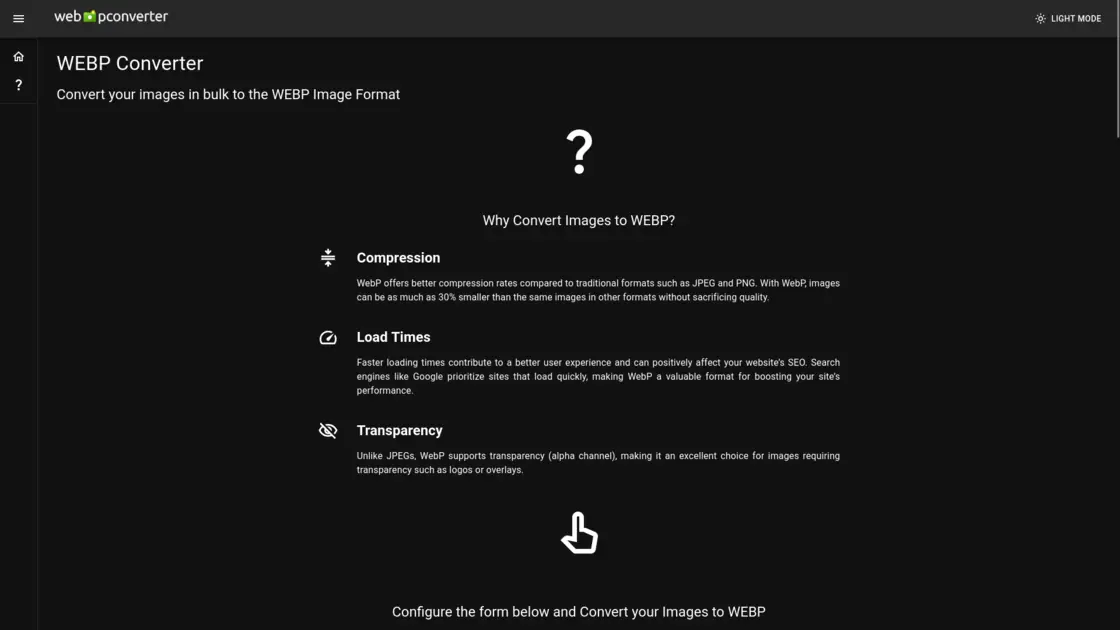
Navigating this transition can be daunting, especially when dealing with vast libraries of legacy media. Enter https://webpconverter.app, an incredibly powerful, all-in-one online tool designed specifically to bridge the gap between heavy, outdated image formats and the blazing-fast future of the web. Far surpassing the capabilities of a basic file converter, WebP Converter serves as a comprehensive batch-processing suite that caters to web developers, digital marketers, photographers, and everyday users alike.
The WebP Revolution: Why Make the Switch?
Before diving into the extensive features of WebPConverter.app, it is essential to understand why the WebP format has become the gold standard for web publishing. Developed by Google, WebP was engineered to provide superior lossless and lossy compression for images on the web.
According to extensive testing, WebP lossless images are roughly 26% smaller in file size compared to standard PNGs. Meanwhile, WebP lossy images are 25% to 34% smaller than comparable JPEG images at equivalent structural similarity (SSIM) quality indexes.
Beyond mere file size reduction, WebP boasts a unique combination of features that previously required multiple formats. It supports transparency (the alpha channel) like a PNG, making it perfect for logos, overlays, and graphics with transparent backgrounds. It also supports animation like a GIF. This versatility means that site owners can standardize their media delivery under a single, highly optimized format. As search engines like Google increasingly prioritize user experience and page speed in their ranking algorithms—specifically through Core Web Vitals—converting your images to WebP is one of the most effective, low-effort SEO strategies you can implement.
Deep Dive into WebPConverter.app’s Core Conversion Engine
What makes https://webpconverter.app stand out in a crowded market of online utility tools is its robust, user-centric conversion engine. It is built from the ground up to handle bulk operations, allowing users to process dozens or even hundreds of images simultaneously without dragging down their local hardware.
Precision Compression Controls When uploading images to WebPConverter.app, users are not forced into a one-size-fits-all compression algorithm. The platform offers granular control over the output. You can choose between Lossless (preserving every pixel of data) or fine-tune a Quality slider ranging from 0 to 100 for lossy compression. Furthermore, the tool includes a Compression Level setting. By adjusting this, users can dictate the encoding time; higher values might take a fraction of a second longer to process but will yield superior quality for a given file size, giving webmasters the exact balance they need.
Smart Metadata Management Every digital photo carries invisible baggage known as metadata or EXIF data. This data includes information about the camera model, exposure settings, date, and sometimes even the exact GPS coordinates of where the photo was taken. WebPConverter.app includes a one-click "Remove All" metadata feature. Not only does stripping this data shave precious kilobytes off your final file sizes, but it also acts as a vital privacy safeguard, concealing the original identity and location data of your media before you publish it to the public web.
Intelligent File Organization When dealing with bulk conversions, file management can quickly become a nightmare. WebPConverter.app solves this with intelligent naming conventions. Users can enable automatic filename postfixes—adding a specific piece of text to the filename before the extension—ensuring that original files and their newly optimized WebP counterparts are easily distinguishable. Once the bulk conversion is complete, the platform neatly packages all your new WebP files into a single, easily downloadable Zip archive.
Beyond Simple Conversion: A Full Suite of Bulk Editing Tools
Where https://webpconverter.app truly transcends its primary function is in its extensive library of built-in batch editing features. Rather than forcing users to open heavyweight software like Adobe Photoshop to make simple adjustments before converting, the platform allows you to apply bulk filters and edits simultaneously during the WebP conversion process.
Essential Color and Lighting Adjustments If you have a batch of photos that are slightly underexposed or lacking “pop,” you can run them through the tool’s adjustment filters. You can modify Brightness, adjust Contrast, fine-tune Gamma levels, alter the Hue, or boost Saturation across an entire folder of images in one go. There is also a "Normalize" feature, which intelligently stretches the contrast of images to enhance overall clarity.
Image Transformations Need all your e-commerce product photos to be the exact same dimensions? The bulk Resize and Trim features allow you to scale and crop your images uniformly. Additionally, if you need structural changes, the Rotate and Mirror tools can instantly flip or re-orient your entire batch of files.
Creative Filters and Branding For content creators and social media managers, visual aesthetics and brand protection are paramount. WebPConverter.app offers a variety of creative filters that can be applied in bulk:
- Watermark: Automatically stamp your logo or copyright text across all your images to prevent unauthorized use.
- Artistic Effects: Apply stylizations like Oil Paint, Sepia, Vignette, Solarize, Grayscale, Gaussian Blur, or Wave to create cohesive visual themes for galleries or social media feeds.
- Technical Edits: Utilize the Sharpen tool to add crispness to slightly soft photos, or the Threshold and Negate filters for stark, high-contrast graphic design work.
Answering the Technical Questions: Reliability and Limits
For enterprise-level webmasters, technical limitations are always a concern when adopting a new tool. Fortunately, WebPConverter.app is built to handle heavy-duty requirements. As noted in the platform's documentation, the WebP format itself is incredibly resilient. Google allows WebP images up to an astonishing 16,383 pixels wide by 16,383 pixels high—translating to roughly 268 megapixels. WebPConverter.app operates seamlessly within these massive parameters, ensuring that even high-resolution architectural photography or detailed digital art can be optimized without unnecessary downscaling.
Furthermore, the platform's FAQ addresses common concerns regarding browser compatibility and quality degradation. While WebP is ideal for almost all modern applications, users have full control over lossy compression, meaning you never have to sacrifice visual fidelity to achieve faster load times unless you explicitly choose to prioritize extreme bandwidth savings.
Conclusion
In an era where digital speed dictates success, holding onto outdated image formats is no longer a viable option. Modernizing your website's media library is one of the highest-ROI tasks a webmaster can undertake, drastically improving user experience, reducing server bandwidth costs, and signaling to search engines that your site is built for the modern web.
By combining lossless and lossy conversion, intelligent metadata stripping, bulk workflow processing, and a massive array of batch-editing tools, WebP Converter has positioned itself as an indispensable utility. Whether you are a solo blogger trying to speed up your WordPress site, an e-commerce manager dealing with thousands of product photos, or a developer optimizing a corporate web portal, you need a reliable tool that streamlines your workflow.
Experience the difference in speed, quality, and workflow efficiency for yourself by visiting https://webpconverter.app today, and take the definitive step toward a faster, more optimized digital presence.