
The MusicVisualizer.app Guide
This article provides a comprehensive overview of a powerful web-based utility designed to transform your audio files into captivating visual experiences. Throughout the following sections, we will delve deep into the core functionalities, extensive customization features, and technical capabilities offered by the platform. We will explore how users can precisely tailor waveforms, integrate custom backgrounds, and finely tune both audio and video encoding settings to produce professional-grade multimedia content. Furthermore, this guide will discuss the broad range of supported file formats, outline the straightforward troubleshooting methods for common issues, and highlight the diverse commercial and personal applications for the generated visualizations. By the end of this piece, you will have a thorough understanding of how to fully leverage this free online tool to enhance your audio projects.
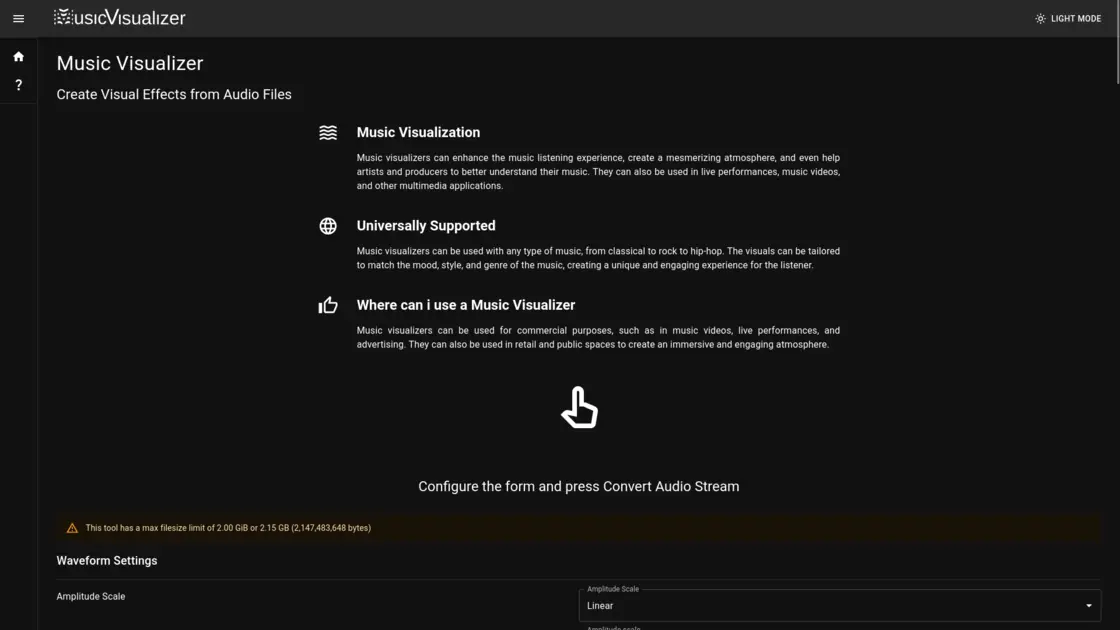
The concept of music visualization has been a cornerstone of digital media for decades, bridging the sensory gap between auditory and visual experiences. At its core, music visualization is the process of generating animated imagery based on the mathematical properties of a piece of music, such as its frequency, amplitude, and rhythm. This dynamic visual representation does more than just give the listener something to look at; it fundamentally enhances the way music is perceived and internalized. For producers and artists, visualizers act as an analytical tool, helping them literally see the structure of their soundscapes. For audiences, these visual effects create a mesmerizing, immersive atmosphere that elevates an ordinary listening session into a multi-sensory journey. As digital content consumption increasingly pivots toward video-first platforms, possessing an efficient means of generating these visualizations has become absolutely critical for audio creators worldwide.
Enter https://musicvisualizer.app, a highly accessible, web-based platform specifically engineered to meet this growing demand. This innovative platform allows anyone to create stunning visual effects from their audio files entirely for free. Unlike many other digital tools that lock their best features behind exorbitant subscription paywalls, this application offers a comprehensive suite of professional-grade tools directly within your web browser. A major advantage of using this specific platform is its commitment to user freedom; there are no restrictive copyright claims placed on the video files you generate, meaning everything you produce is yours to use wherever and however you see fit. Furthermore, the developers have ensured that the service does not impose any intrusive watermarks, audible imprints, or forced logos onto your final creations. The output is exceptionally clean, entirely unbranded, and ready for immediate distribution across any digital medium.
One of the most appealing aspects of the application is the incredible depth of customization it offers for generating the visual waveform itself. Users are not restricted to a handful of static templates. Instead, you have granular control over the amplitude scale, allowing you to dictate exactly how aggressively the visualizer reacts to the volume peaks and valleys of your track. The draw modes and filter settings enable distinct stylistic choices, while the split streams feature provides an alternative visual layout, albeit with a narrower viewable range. Color customization is also exceptionally detailed. Rather than relying on basic color pickers, users can precisely define waveform colors using RGB, HEX, HSV, HSL, and CMYK values. This ensures that artists can perfectly match their visualizer to their specific branding or album artwork. Additionally, the vertical positioning of the waveform can be adjusted on a zero to one hundred scale, providing absolute control over the composition of the frame.
Beyond the animated waveform, the environment in which the visualization exists can be heavily modified. The platform allows users to upload custom background images or even underlying video files to sit behind the audio-reactive elements. When a background image or video is loaded, the engine automatically stretches the media to utilize the maximum available space, matching the width and height parameters of the video stream. To ensure compatibility with the underlying FFmpeg encoder, the system intelligently adds extra pixels if necessary to ensure the media dimensions are a multiple of two. Users are advised to utilize images scaled to 1920x1080 pixels or smaller to maintain stability, as excessively large image sizes may occasionally crash the encoding process. This layering of audio-reactive graphics over personalized media allows for an endless array of creative possibilities, from subtle, ambient backgrounds to high-energy, dynamic video backdrops.
When it comes to the technical generation of the video file, the platform provides an impressive array of advanced encoding settings. By default, it targets the widely supported MPEG-4 format, ensuring native playback compatibility across virtually every modern web browser, including Chrome, Firefox, Safari, Edge, and Opera. Users can manually specify the exact width and height of their desired output, provided both values are divisible by two. The tool also exposes crucial encoder configurations, such as the CPU effort preset. If a user intends to quickly upload their creation to social media platforms that heavily compress video anyway, they can select an “ultrafast” preset. This significantly reduces rendering time without noticeably degrading the final perceived quality on those platforms. Additionally, control over the Constant Rate Factor (CRF) empowers users to balance file size against visual fidelity, with lower CRF values yielding superior image quality at the cost of a larger final file.
The audio processing capabilities of the platform are equally robust, ensuring that the sound quality remains pristine throughout the conversion process. The encoder utilizes the highly regarded Fraunhofer FDK AAC codec, known for its exceptional audio fidelity and efficiency. Users can dictate the sample rate of their output stream, selecting from a specific range of rates strictly supported by the Fraunhofer codec. Furthermore, the bit rate control settings allow for meticulous management of audio data density. Bit rates, which are applied on a per-channel basis, can be configured anywhere within a valid range of 8 to 264 kilobits per second. The platform also includes an adjustable cutoff feature, acting as a low-pass filter. This cutoff, which should ideally be set to around half of the chosen sample rate, can be adjusted between 173 Hz and 20,000 Hz, granting producers the ability to tightly control the frequency spectrum of their final product.
To accommodate the diverse needs of modern content creators, the application boasts massive file format support. Users can upload an incredible variety of audio formats, including common types like MP3, WAV, FLAC, and AAC, as well as niche extensions like OGG, M4A, and even WMA. Video formats are similarly well-supported, allowing files such as MP4, MKV, AVI, and MOV to be processed directly. For those working with lengthy mixes, full podcast episodes, or complete album compilations, the platform handles impressively large uploads, supporting a maximum file size limit of up to 2.15 gigabytes (2,147,483,648 bytes) for very long videos. Moreover, for complex container formats that hold multiple audio streams—such as a video file with different language tracks or director commentary—the tool provides an audio stream selection feature. By using specific mapping commands, such as using 0:a to select the first available track, users can explicitly tell the engine which specific audio stream should be isolated and visualized.
Despite its powerful backend, users may occasionally encounter issues due to the complexities of digital media files. The platform offers practical advice for troubleshooting these roadblocks. A very common issue arises from audio files that contain embedded metadata, particularly high-resolution album art, which can sometimes interfere with the visualizer’s proper reading of the audio stream. To resolve this, the developers recommend running the problematic file through a simple MP3 conversion process specifically to strip away the metadata before attempting to visualize it again. Interestingly, the platform also notes an exciting synergy with text-to-speech technologies. Creators can take an AI voice rendering of a written script, process it through the visualizer, and create engaging, animated spoken-word content. This workflow is incredibly useful for producing lyric videos, automated news broadcasts, or educational content where spoken audio needs to be paired with an engaging visual stimulation.
The practical applications for the unwatermarked, high-quality videos generated by this platform are practically limitless. Because the visualizer supports universal playback and places zero copyright restrictions on the output, the creations are perfectly suited for both personal enjoyment and broad commercial deployment. Independent musicians can generate captivating visual companions for their latest singles to upload to video streaming sites or embed directly into their professional portfolios. Live performers, DJs, and stage designers can create looping visual assets to project onto massive screens during their concerts, brilliantly synchronizing the atmosphere of the venue with their live setlist. In the commercial sector, businesses can utilize the tool to produce engaging advertising materials, create dynamic social media posts, or simply run atmospheric visualizations on monitors within retail spaces and public venues to enhance the customer experience. Ultimately, this platform democratizes the creation of audio-visual media, providing absolutely everyone with a powerful, accessible, and highly customizable tool for bringing their soundscapes to life visually.